
One of the important features of WhatsApp is the ability to delete a message after sending it to a person.
Of course, this feature is very useful, but you can sometimes be curious to know what was the content of this message .
When someone deletes a message in WhatsApp, you will see " This message has been deleted ."
If you are curious like me and you have an iPhone, know that it is possible to read any deleted message in a private conversation as in groups.
In this article, I will explain how you can perform this task.
Read a deleted Whatsapp message under iPhone
To read deleted messages on WhatsApp , you must add an extension called " WA Web Plus " to your Chrome browser . You will also need access to your WhatsApp web via the same browser.
Then please follow the steps below:
- Sign in to WhatsApp Web,
- Add WA Web Plus on Google Chrome,
- Once the extension is installed, go to WhatsApp web and select the conversation in which the deleted message is located. You will now be able to read the deleted message.

Read a deleted message on Whatsapp for iPhone without installing anything
To read a deleted message on an iPhone, uninstall WhatsApp, then reinstall it from the App Strore on your device.
Once you are logged in again, you will have the option of restoring discussions from a backup.
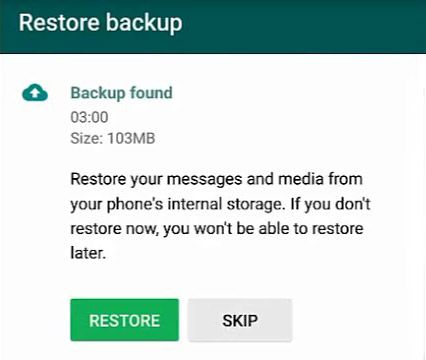
Just select the restore option and your discussions will be restored, including deleted messages, which will appear as if they were never deleted.

Commentaires
Enregistrer un commentaire