Samsung Galaxy A5 Display Replacement
Introduction
Use this guide to replace a broken or cracked display of your Samsung Galaxy A5.
Step 1 Display
- Switch off your phone.
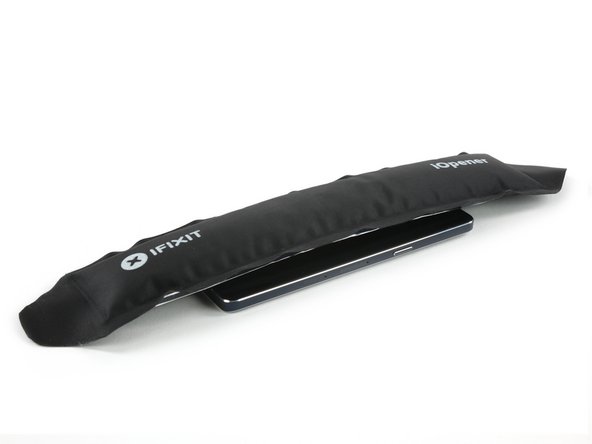
- Use an iOpener to soften the glue on the edge of the display. Concentrate on the sides first and then on the bottom part.
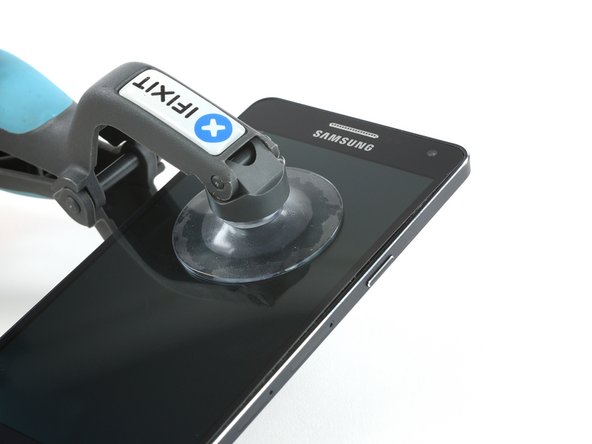
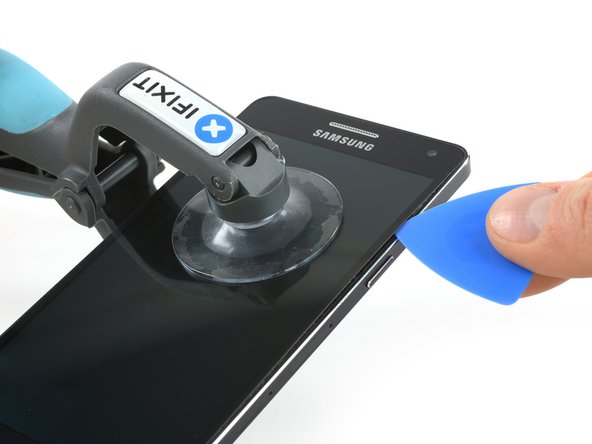
- With an iSclack or a suction handle you can lift the display a little bit to get in the gap with an opening pick.
Step 2
-
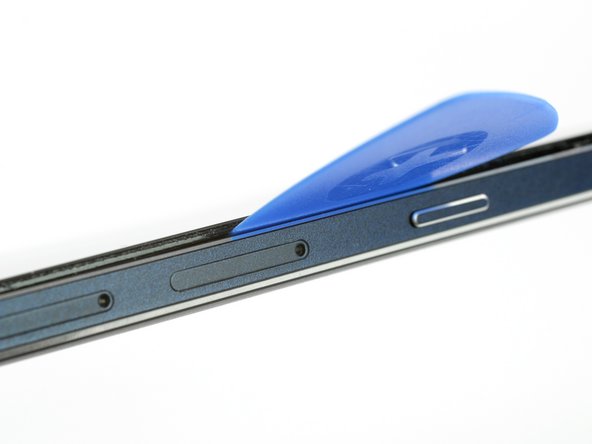
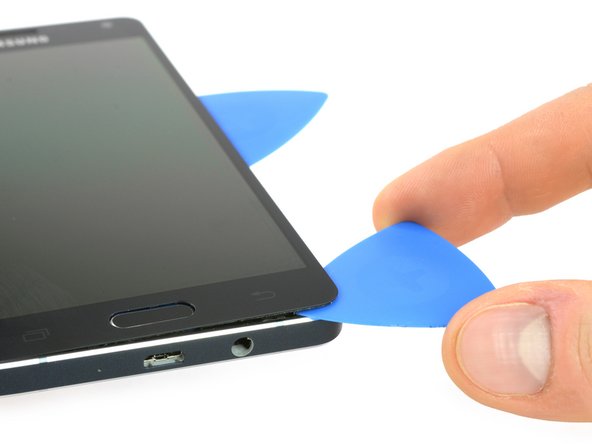
When the glue is loosened enough on the side you can lift the display a little bit more to get underneath the display with an opening pick.
-
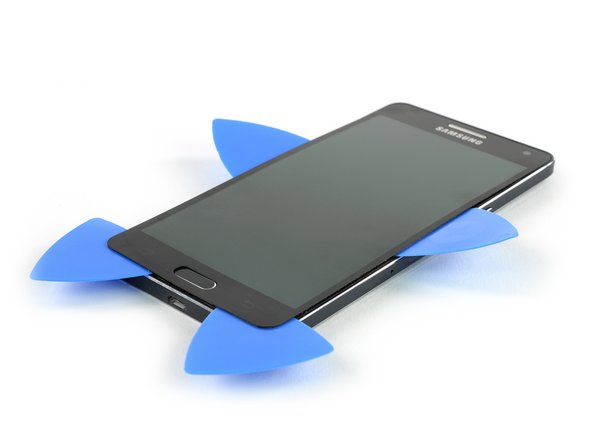
Take a second opening pick and work your way around the bottom edge.
-
Repeat the last step and this one on the other side.
-
-
-
- When the glue is loosened enough on the side you can lift the display a little bit more to get underneath the display with an opening pick.
- Take a second opening pick and work your way around the bottom edge.
- Repeat the last step and this one on the other side.
Step 3
- Grab the iOpener once again to heat up the bottom and top part to further soften the glue.
- Now you will be able to move the picks at the bottom closer to the home button and eventually open the display towards the top.



Step 4
-
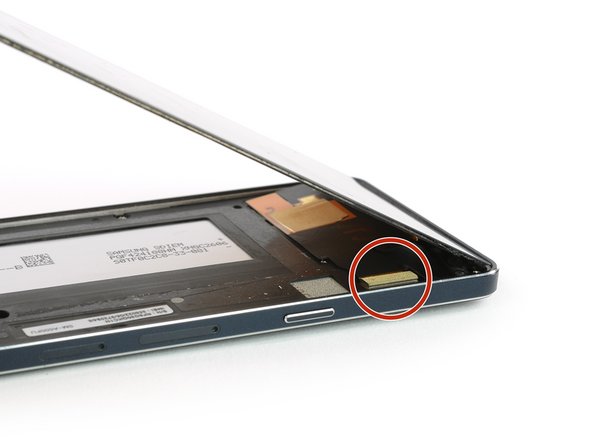
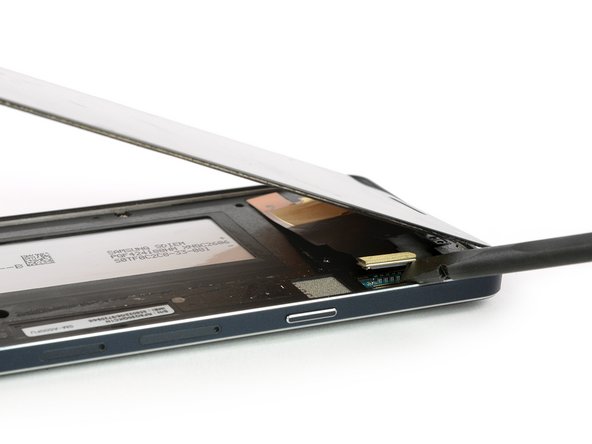
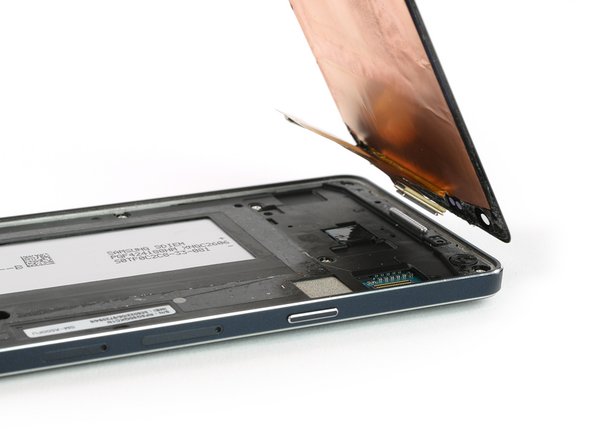
In the top right corner you can find the connector of the display. Use a spudger to unplug it.
-
Now you can remove the display.
-
-
-
-
- In the top right corner you can find the connector of the display. Use a spudger to unplug it.
- Now you can remove the display.
Commentaires
Enregistrer un commentaire